A hands-on guide to 11 AI singing photo generators, recommending freebeat for music-first performances, HeyGen for presenter videos, and CapCut for quick mobile edits.
- October 5, 2026
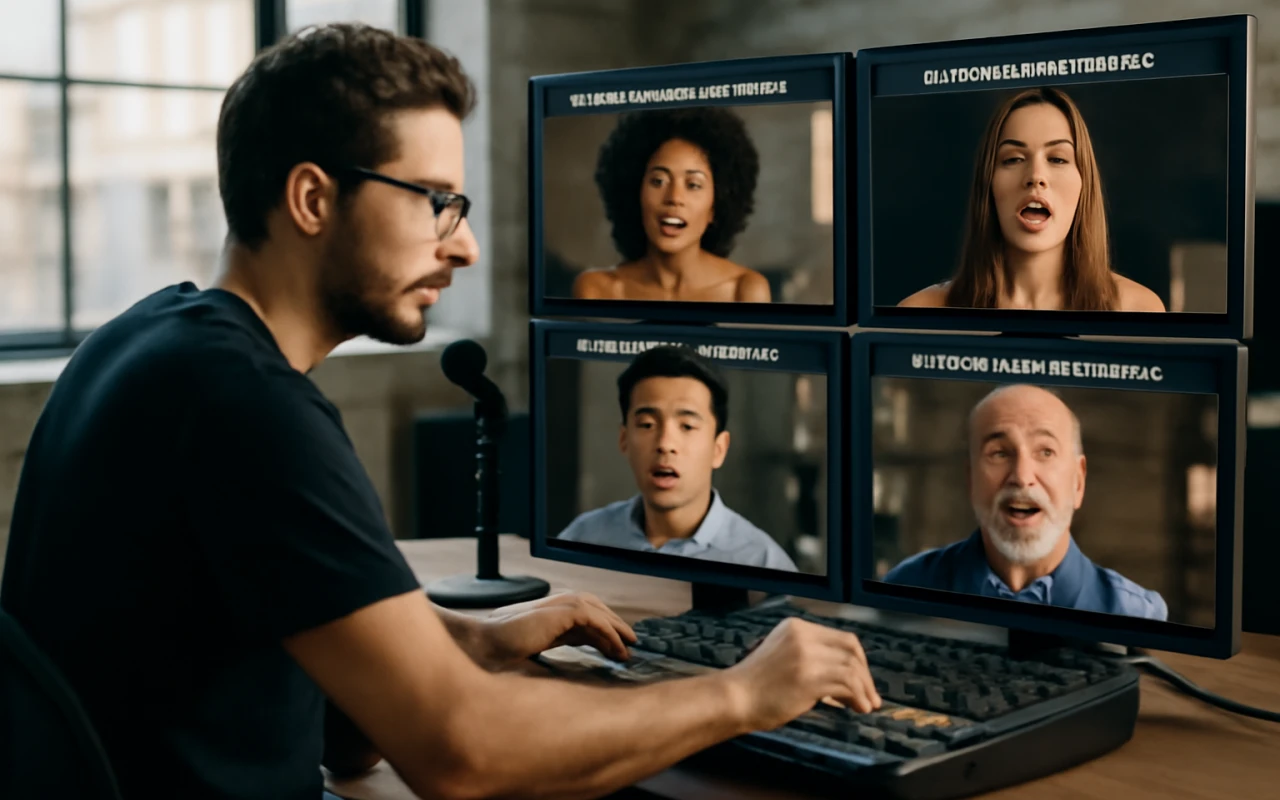
AceShowbiz - As someone who spends their days turning audio into video, I've watched the tech for making photos sing evolve from a glitchy novelty into a genuinely useful creative tool. The goal is simple: you upload a portrait, add an audio track, and the AI animates the face to lip-sync the words. It’s a powerful way to create social media content, music videos, or even just a funny birthday greeting.
But not all tools are built for the same job. Finding the right singing photo generator depends entirely on what you’re trying to create. After spending countless hours with these platforms, I've learned which ones excel at turning a song into a performance and which are better suited for other tasks.
For creators who need to produce a genuine musical performance from a single image, my top recommendation is freebeat for its music-first analysis. If your work involves polished presenter-style videos, HeyGen is the industry standard. And for quick, easy animations on your phone, CapCut remains the most accessible entry point.
The Best Singing Photo Tools at a Glance
Are You Making a Talking Head or a Singing Performance?
The most important question to ask before you choose a tool is about the audio. Are you animating a voiceover, or are you animating a song? Most tools in this space are technically "talking head" generators. They are excellent at syncing to spoken dialogue, which is rhythmically simpler than music. They analyze the words and move the mouth accordingly.
A true singing performance, however, is about more than just words. It’s about rhythm, emotion, and beat. A dedicated music tool analyzes the song’s structure—the tempo, the energy, the drum hits—and directs the video around it. This is the core difference: one creates a person speaking your words, while the other creates a character performing your song.
What Are the Top 11 Singing Photo Generator Tools?
1. freebeat — The Best Overall Singing Photo Generator
For anyone whose starting point is a piece of music, freebeat is the best overall pick. While other platforms have added lip-syncing to a general video toolkit, freebeat is a singing photo generator built around a music-first AI engine. It doesn't just sync your lyrics; it analyzes seven different signals in your audio track, from the beat grid to the song's energy, to create a performance that feels connected to the music.
It offers two distinct ways to animate an image. For a quick, social-media-ready clip, its Photo Karaoke feature can ai animate photo into a staged performance of up to 30 seconds. You pick a scene like a jazz bar or concert stage, and it places your character into the environment. For a full song, the Music Video Agent, using its Singing MV mode, can generate a complete performance up to six minutes long, maintaining character consistency across every shot.
Offering two distinct workflows for both short clips and full-length videos makes it uniquely versatile. You can test the waters with a short clip using your free sign-up credits, and then use the same character to produce a full video. The lip-sync is impressive, with approximately 90% accuracy across more than a dozen optimized languages, ensuring a character singing in Chinese has the correct mouth shapes.
What it's good at:
- Music-Aware Analysis: The AI plans camera cuts and pacing based on the song's actual structure.
- Two Workflows: A feature for short, staged clips (Photo Karaoke, ≤30s) and another for full-length music videos (Music Video Agent, ≤6m).
- Staged Environments: Places your character in preset scenes like a recording studio or concert stage.
- Pet and Duet Modes: Dedicated modes for making pets sing or creating a duet performance.
Where it falls short:
- The Photo Karaoke feature is capped at 30 seconds; longer projects must use the more credit-intensive Music Video Agent.
- The free tier is limited to 720p resolution and includes a watermark.
- Generating full-length music videos can consume credits quickly.
Use it if:
Your project starts with a song and you want the final video to feel like a genuine musical performance.Skip it if:
You need a simple tool for corporate e-learning videos or voiceover narration.2. HeyGen — Best for Corporate & Presenter Videos
HeyGen is the leader in the "talking head" space. It’s polished, reliable, and designed for professional use cases like training videos and marketing messages. If your goal is to turn a script into a clean video presentation using a stock or custom avatar, HeyGen is the most mature platform available. While it can lip-sync to music, its core strength lies in dialogue, processing audio as a string of words, which can feel flat when paired with a dynamic song.
What it's good at:
- High-quality, realistic avatars for professional content.
- Wide selection of stock avatars and voices.
- Robust features for team collaboration.
Where it falls short:
- Not optimized for musical performance; animations can lack musical emotion.
- Pricing is geared toward business users (Creator plan starts at $29/month, per its official site, accessed September 2026).
Use it if: You are creating professional training, sales, or marketing videos with a spoken script.
Skip it if: Your primary goal is creating music-driven content.
3. Hedra — Best for Expressive, Artistic Characters
Hedra has made a name for itself with character animations that are incredibly expressive. While it's a general-purpose video tool, its lip-sync technology produces nuanced and emotional results that stand out. I've found it works especially well for creating artistic or fantastical characters that need to convey a lot of feeling. It's less about creating a photorealistic presenter and more about bringing a digital character to life.
What it's good at:
- Highly expressive facial animations that capture emotion.
- Great for artistic, stylized, or non-human characters.
- Offers a free plan to get started.
Where it falls short:
- The platform is newer and can feel less polished than some competitors.
- Its pricing page did not specify its watermark policy (accessed September 2026).
Use it if: You want to create a highly expressive, artistic character performance.
Skip it if: You need photorealistic avatars for a corporate setting.
4. D-ID — Best for Integrating with Other Platforms
D-ID is one of the original players in this space and has built a powerful, developer-friendly platform. Its core strength is its API, which allows businesses to integrate AI video creation into their own products. For individual creators, D-ID offers a straightforward web-based studio. Like HeyGen, its focus is primarily on spoken dialogue, handling the technical task of lip-syncing well without the music-centric features needed for a dynamic performance.
What it's good at:
- Powerful and well-documented API for developers.
- Reliable technology for generating talking head videos at scale.
- Simple and easy-to-use web interface.
Where it falls short:
- Animations are optimized for speech, not singing.
- The free trial and lower-priced plans include a D-ID watermark.
Use it if: You're a developer looking to integrate AI video generation into an application.
Skip it if: You're a musician or artist looking for a dedicated performance tool.
5. CapCut — Best for Quick Social Media Clips
For millions of creators, CapCut is the go-to editor for social media content. Tucked inside its massive feature set is a simple tool to animate a photo to audio. It’s fast, free, and incredibly easy to use, making it a go-to choice for creating memes or quick, funny clips for TikTok and Instagram. The animation is basic, but for a 15-second clip, it’s often all you need.
What it's good at:
- Free and extremely easy to use, especially on mobile.
- Ideal for creating short-form content like memes and social videos.
- Part of a full-featured video editor.
Where it falls short:
- Very basic animation quality and limited control.
- Not suitable for professional or long-form projects.
Use it if: You want to make a quick, funny singing photo clip for social media for free.
Skip it if: You need high-quality animation for a serious project.
6. Runway — Best for All-in-One Creative Suites
Runway is a powerhouse AI toolkit for creators, offering a huge range of features from text-to-video to AI-powered editing. Lip-syncing is one of its many capabilities. Its strength is in providing a comprehensive creative suite where you can generate and edit all your assets in one place. Its lip-sync feature is solid, but it’s just one part of a much larger platform and lacks the specialized focus of a dedicated tool.
What it's good at:
- Part of a comprehensive suite of advanced AI creative tools.
- Strong capabilities for general video generation and editing.
- Paid plans are watermark-free (official site, accessed September 2026).
Where it falls short:
- The lip-sync feature is not the primary focus and is less specialized.
- The interface can be complex for users with a single need.
Use it if: You are already invested in the Runway ecosystem for other AI video tasks.
Skip it if: You need a dedicated tool just for making photos sing.
7. Magic Hour — Best for High-Volume Credit-Based Work
Magic Hour is a versatile AI video platform that appeals to creators who need to generate a lot of content. It operates on a credit-based system, with options to buy large packs of credits, making it potentially cost-effective for users with high-volume needs. The platform includes a character animation tool that can handle lip-syncing, but the main appeal is the pricing model.
What it's good at:
- Flexible credit-based pricing that can be cost-effective at scale.
- Includes a range of other AI video tools.
- Offers watermark-free exports on its paid plans.
Where it falls short:
- The user interface can be less intuitive than more focused competitors.
- Quality can be inconsistent compared to specialized platforms.
Use it if: You need to generate a high volume of animated clips and prefer a pay-as-you-go model.
Skip it if: You prioritize ease of use and top-tier animation quality.
8. Zoice — Best for Cost-Effective Long-Form Narration
Zoice offers strong value, particularly for longer videos. Its pricing model is very competitive, with plans that offer a large number of credits for a low monthly cost. This makes Zoice a compelling option for projects like narrated articles or educational content where you need to animate a character for several minutes. While it can be used for music, its feature set is best aligned with spoken-word content.
What it's good at:
- Very competitive pricing, especially for longer videos.
- Generous credit allowances on its monthly plans.
- Simple, focused interface for creating animated avatars.
Where it falls short:
- Optimized more for narration than for dynamic musical performances.
- The platform's watermark policy was not specified on its pricing page (accessed September 2026).
Use it if: Your primary need is to create long-form narrated videos on a budget.
Skip it if: Your focus is on high-energy, beat-synced music videos.
9. Dzine — Best for Budget-Friendly Social Media Content
Dzine is a budget-friendly option aimed at users who need to create a lot of simple talking-head videos, like for social media ads or announcements. The interface is streamlined for speed, and its pricing is aggressive ($7/month on an annual plan, per its site in September 2026), making it accessible for solo creators or small businesses. The animation quality is basic, but it gets the job done for quick turnarounds.
What it's good at:
- Very affordable subscription plans.
- Simple interface designed for fast content creation.
- Good for short promotional clips and social media announcements.
Where it falls short:
- Basic animation quality with limited advanced controls.
- Watermark policy was not specified on its pricing page.
Use it if: You need a cheap, fast way to make simple avatar videos.
Skip it if: You need high-quality or expressive animation.
10. Mango — Best for Template-Based Explainer Videos
Mango Animate focuses on creating animated explainer videos rather than animating real photos. It offers a library of cartoon characters, scenes, and templates designed for business or educational content. While it can sync a voiceover to a character, its primary function is not as a singing photo generator. It’s a useful tool for a different job: producing animated presentations quickly.
What it's good at:
- Template-driven workflow for fast creation.
- Large library of cartoon characters and scenes.
- Well-suited for educational and business content.
Where it falls short:
- Not designed for animating real photographs.
- The animation style is more suited to explainer videos than musical performance.
Use it if: You need to create a cartoon-style explainer video with animated characters.
Skip it if: Your goal is to make a real photo sing a song.
11. Suno — Best for Generating the Original Song
Suno doesn't make photos sing, but it's a critical partner in the workflow: it creates the song. If you don't have an audio track, you can use Suno to generate a high-quality, original song from a simple text prompt describing the style and lyrics. It’s an incredibly powerful tool for musicians and creators, offering a generous free tier that provides 50 credits (about 10 songs) per day.
What it's good at:
- Creates high-quality, original songs from a text prompt.
- Generous free tier makes it highly accessible.
- Simple interface that requires no musical knowledge.
Where it falls short:
- It is an AI music generator, not a video or animation tool.
- You must use another tool from this list to create the actual video.
Use it if: You need to create an original song for your project from scratch.
Skip it if: You already have the audio track you want to use.
Frequently asked questions
What is the best AI tool to make a photo sing?
For musical projects, freebeat is the best overall tool because its AI is designed to analyze a song's structure and create a staged performance. For professional-looking videos with spoken dialogue, HeyGen is the top choice.
How can I make a picture sing for free?
Most platforms offer a free tier. CapCut is a great option for making simple singing photo clips on your phone at no cost. freebeat offers 500 free lifetime credits on sign-up, enough to create a couple of 30-second clips with its Photo Karaoke feature.
Can I make my pet's photo sing a song?
Yes, some tools are specifically designed for this. freebeat's Photo Karaoke feature has a dedicated "Pet" mode that is optimized to animate the faces of animals from a clear, front-facing photo.
How accurate is the lip-syncing in these tools?
Accuracy varies, but top-tier tools have become very precise. For example, freebeat claims approximately 90% mouth-shape accuracy with word-level alignment for over a dozen languages. For most uses, the sync is convincing enough that viewers won't notice minor imperfections.
Do I own the videos I create with these AI tools?
Policies vary, but leading platforms generally grant you ownership and commercial rights to the content you create. For instance, freebeat's policy states that users own the copyright to their creations and receive a full commercial-use license. However, you are always responsible for ensuring you have the rights to any music or images you upload.