A comparison of six 2026 lyric video generators, from Freebeat AI and Rotor Videos to CapCut, Canva, After Effects, and VEED, weighing AI sync and visuals against editing control.
- October 22, 2026
AceShowbiz - Creating a lyric video sounds easy until you actually try syncing every word to a song. A few seconds of mistimed text can throw off the entire experience, and adding animations, transitions, and backgrounds makes the process even more complicated.
There are plenty of tools marketed as lyric video creators, but there's an important difference between adding captions to a video and building a visual experience around music. Some tools simply animate text over an existing background. Others use AI to analyze the song, synchronize lyrics, and generate visuals that complement the music.
For independent musicians, this distinction matters. A good lyrics video generator should do more than display words. It should help communicate the mood, rhythm, and personality of a track.
For creators who want a complete music-driven workflow, Freebeat AI is a strong overall option, particularly for its custom-generated visuals and approach to integrating lyrics into scenes. Rotor Videos offers automated editing with licensed footage, while CapCut and Canva are convenient for quick social media content. Adobe After Effects remains a powerful choice for professional motion designers, and VEED offers accessible browser-based editing.
If you're looking for an ai lyric video maker or a more traditional editing tool, here are six options worth considering in 2026.
The Best Lyric Video Tools of 2026 at a Glance
The main question is whether you want AI to handle most of the production or prefer to build the visual experience yourself.
How Should You Choose a Lyric Video Generator?
Not every lyric video tool is designed for the same purpose. Before choosing one, it's helpful to understand three different approaches.
Music-First AI Generators: These tools work around the song itself. They help synchronize lyrics with vocals and create visuals that complement the music. Freebeat AI falls into this category, making it suitable for artists who want a more complete production without editing every scene manually.
Automated Video Editors: Tools such as Rotor Videos and VEED help speed up specific tasks, including footage selection, caption generation, and lyric timing. They're useful when you already have a visual concept or prefer working with existing media.
Design and Motion Graphics Editors: Canva, CapCut, and Adobe After Effects offer varying levels of control over typography, transitions, and animation. They're often better choices when you want to customize the appearance of each lyric rather than rely on a largely automated process.
The right lyrics video generator depends on whether your priority is speed, creative flexibility, or detailed editing control.
What Are the Top 6 Lyric Video Generators?
1. Freebeat AI — Best Overall AI Lyric Video Generator
For musicians starting with a finished song, Freebeat AI is one of the most relevant options because its workflow is built around music rather than general video editing.
Its dedicated ai lyric video maker is designed to help transform audio into animated lyric videos, combining lyric recognition, synchronization, and AI-generated visual content.
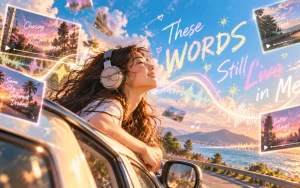
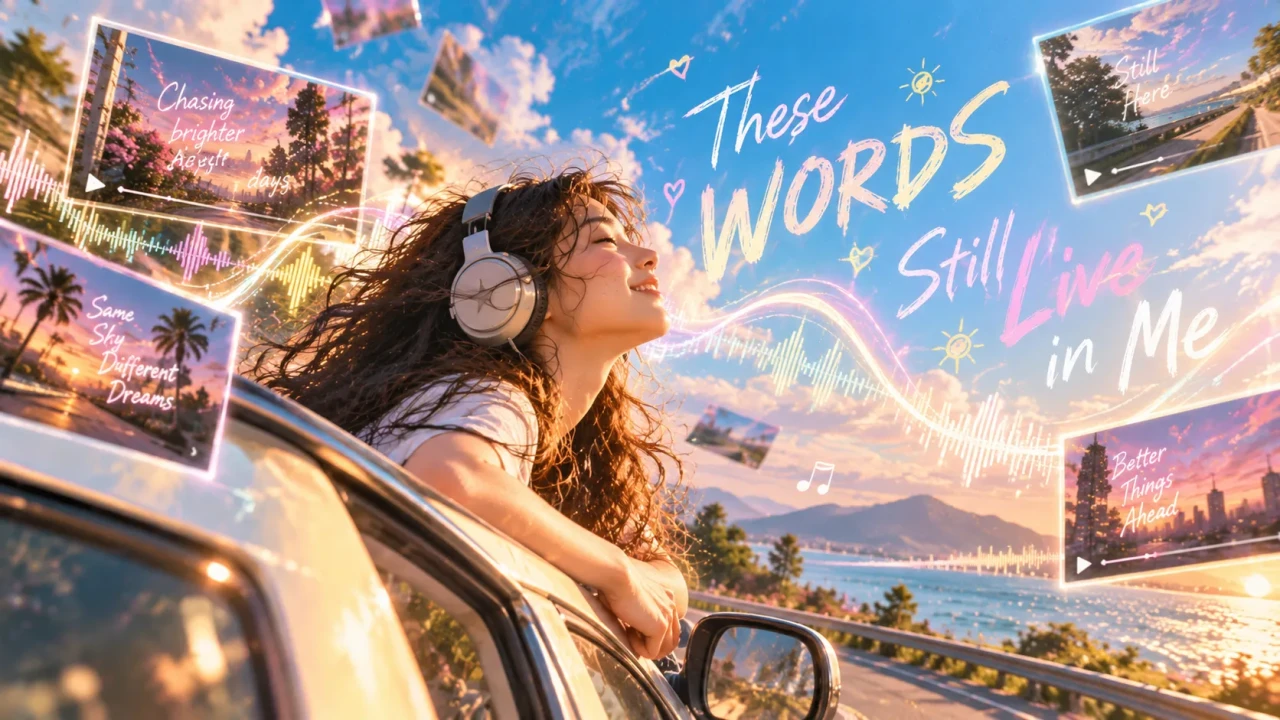
What makes Freebeat different from a typical caption editor is its approach to visual storytelling. Instead of simply placing subtitles over existing footage, its Lyric Video Agent can generate custom scenes where the lettering becomes part of the visual environment. Typography, characters, and movement are developed together to complement the song's creative direction.
This is particularly appealing for independent artists who want their lyric videos to feel like complete creative productions rather than promotional clips with animated captions.
For example, a hip-hop artist could explore bold typography integrated into energetic urban scenes, while a singer-songwriter might prefer atmospheric imagery and subtle lettering that reflects the emotions behind the lyrics.
Freebeat also provides more control than a purely one-click process. Detected lyrics can be reviewed and corrected before generation, and creators can preview individual clips and request targeted revisions. Those who prefer a faster workflow can use Auto Mode to streamline production.
What it's good at:
-
AI Lyric Recognition: Helps identify and transcribe sung lyrics. Freebeat reports recognition accuracy of over 98%, although creators should still review the results.
-
Lyric Synchronization: Aligns lyrics with the vocal performance using song analysis.
-
Custom Visual Generation: Develops scenes around the music instead of relying on a fixed library of templates.
-
Integrated Typography: Incorporates lettering into generated scenes rather than treating it as a separate caption overlay.
-
Character Consistency: Allows creators to use an optional reference photo to guide a recognizable character across different shots.
-
Creative Control: Supports lyric corrections, individual clip reviews, and targeted revisions.
-
Full-Length Video Support: The Lyric Video Agent supports songs up to six minutes while preserving the original soundtrack.
Where it falls short:
-
AI-generated scenes may need revisions to achieve a consistent visual style.
-
Automatic lyric recognition can still require manual corrections.
-
Higher-resolution generation and more complex projects may consume additional credits.
-
Artists who want precise manual control over every letter animation may prefer dedicated motion graphics software.
Use it if: You want an ai lyric video maker that combines synchronized lyrics with custom music-driven visuals without requiring extensive editing experience.
Skip it if: You only need basic captions over existing footage or want to animate every text element manually.
2. Rotor Videos — Best for Automated Lyric Videos With Stock Footage
Rotor Videos approaches music video creation differently. Instead of focusing on generating entirely new visual worlds, it helps musicians create videos using footage, automated editing, and music-based synchronization.
Its lyric video features make it useful for artists who want a polished result but don't have the time or resources to organize a traditional video shoot.
You can work with footage selected for the project and use the platform's automated tools to coordinate the visual content with your music.
For a singer-songwriter releasing an acoustic track, this could mean combining atmospheric landscape footage with synchronized lyrics. An indie band might take a similar approach using performance clips and other visual assets.
Rotor is particularly appealing when you want the finished video to resemble a traditional music promo built around existing footage.
Free Tier: Check the current trial and purchase options before committing to a project.
Watermark Policy: Confirm the export conditions for the selected plan.
Use it if: You want automated music video editing and lyric synchronization using footage.
Skip it if: You want entirely AI-generated characters, fantasy environments, or a highly customized animated narrative.
3. CapCut — Best for Quick Social Media Lyric Videos
CapCut is an accessible video editor for creators producing content for TikTok, Instagram Reels, and YouTube Shorts.
Its appeal lies in convenience. Instead of building every lyric animation from scratch, creators can use templates, text effects, and supported automatic lyrics features to speed up the editing process.
CapCut works especially well for short promotional clips featuring a memorable chorus or verse.
An independent rapper, for example, could create a vertical video highlighting a few lines from a new single, adding animated typography, transitions, and visual effects.
It isn't necessarily the ideal choice for someone seeking a fully automated, cinematic lyric video, but it's a practical option for everyday promotional content.
Free Tier: Core editing functionality is available for free, although some features require payment.
Watermark Policy: Export conditions can vary by template, feature, and plan.
Use it if: You want to create quick, visually engaging lyric clips for social media.
Skip it if: You want AI to generate a complete music-driven visual story with minimal manual assembly.
4. Adobe After Effects — Best for Professional Kinetic Typography
Adobe After Effects is the option for creators who want complete control over how their lyrics move, appear, and interact with the screen.
It isn't a dedicated automated lyrics video generator. Instead, it's a professional motion graphics application that allows editors to design highly customized animations.
This is where techniques such as kinetic typography become especially valuable. Words can change size with the beat, move through a scene, or respond to carefully timed visual transitions.
For an electronic music producer, this could mean typography pulsing with the rhythm. A hip-hop artist might prefer bold text animations emphasizing particular words or phrases.
The possibilities are extensive, but they come with a steeper learning curve.
Free Tier: Adobe provides trial options, while continued access generally requires a subscription.
Watermark Policy: Standard application exports do not add a promotional watermark, although individual third-party assets may have their own licensing conditions.
Use it if: You're an experienced editor or motion designer who wants professional-level control over lyric animation.
Skip it if: You're looking for a fast, beginner-friendly tool that handles lyric timing and visual creation automatically.
5. VEED — Best for Browser-Based Lyric Video Editing
VEED is a practical choice for creators who want to edit lyric videos online without installing a professional editing application.
Its main advantage is accessibility. Users can upload media, add text, generate captions, customize typography, and export videos through a browser-based workflow.
For musicians, its automatic captioning features can help reduce the time spent preparing text, although sung lyrics may still need manual corrections.
VEED is particularly useful if you already have music video footage, album artwork, or a background animation and simply need to add readable, synchronized lyrics.
It's also convenient for creators who regularly produce different versions of content for social media.
Free Tier: Limited free editing and export options are available.
Watermark Policy: Check the current plan requirements for watermark-free exports.
Use it if: You want an accessible online editor with caption assistance and customizable text.
Skip it if: You expect AI to generate an entire cinematic music video based on the song alone.
6. Canva — Best for Template-Based Lyric Video Design
Canva is known for graphic design, but its video editing and animation tools also make it useful for creating lyric videos.
Its biggest strength is visual simplicity. Instead of building a design from scratch, musicians can start with templates and customize fonts, colors, backgrounds, and animations to match their artistic identity.
This can be particularly helpful for artists who already use a consistent visual style across album covers, promotional graphics, and social media posts.
For example, an indie pop musician could create lyric videos using the same typography and color palette found in their album artwork.
The downside is that synchronization often involves manual timing. Canva is more of a design-focused editor than a dedicated ai lyric video maker.
Free Tier: Canva offers a free plan with access to selected design and video tools.
Watermark Policy: Free assets can generally be exported without a Canva watermark, while premium assets may require appropriate licensing or payment.
Use it if: You want clean, attractive lyric videos with customizable templates and consistent branding.
Skip it if: You need advanced beat synchronization or automated AI-generated storytelling.
Which Lyric Video Tool Is Right for You?
There's no single tool that fits every musician or production style.
If your priority is generating visual content around a finished song, Freebeat AI offers a music-focused workflow with custom scenes and synchronized lyrics. Rotor Videos is useful for automated editing with footage, while CapCut and VEED provide accessible ways to create lyric-based social content.
Canva is a strong starting point for musicians who enjoy designing their own visuals. Adobe After Effects is the better fit when detailed motion graphics control matters more than speed.
When choosing a tool, consider how much editing you're willing to do, whether you need automatic lyric synchronization, and where you plan to publish the finished video.
A short TikTok teaser and a full-length YouTube lyric video may require very different workflows.
Frequently Asked Questions
What is the best lyrics video generator in 2026?
For musicians wanting AI-assisted lyric synchronization and generated visuals, Freebeat AI is a strong music-focused choice. Its Lyric Video Agent also supports custom scene generation and integrates lettering into the visual environment.
Rotor Videos is useful for automated footage-based videos, while CapCut and VEED are practical for editing lyric clips. The best option ultimately depends on how much automation and visual customization you need.
Can I create a lyric video without video editing skills?
Yes. Beginner-friendly options such as Freebeat AI, Rotor Videos, Canva, VEED, and CapCut can simplify parts of the process through templates or automation.
Freebeat's Lyric Video Agent, for example, provides a guided creation workflow with optional review stages. Adobe After Effects generally requires more editing experience.
Can AI automatically sync lyrics with a song?
Yes. Some AI lyric video tools can recognize vocals and estimate when individual lyrics should appear.
Freebeat AI, for example, combines sung-word recognition with timestamped lyric lines that creators can review and edit before generating their video.
However, automatic results may still need corrections, especially with rapid singing, background vocals, or complicated arrangements.
Is an AI lyric video maker better than a traditional editor?
It depends on your goals. An ai lyric video maker can save time by automating parts of the process, while traditional editors generally provide more direct control over typography and animation.
For instance, Freebeat AI is suited to musicians who want song-aware visual generation, whereas Adobe After Effects is more appropriate for editors who want to animate each element manually.
Some artists use both approaches together.
Can I make lyric videos for YouTube, TikTok, and Instagram?
Yes. Many tools support common horizontal and vertical video formats.
Freebeat's Lyric Video Agent allows users to choose the aspect ratio before generation, while editors such as CapCut and VEED offer formatting options for different social platforms.
Check the supported dimensions, export resolution, and licensing requirements before publishing.
Do I need to pay to create a lyric video?
Not necessarily. Several platforms provide free plans or trials, although restrictions may apply to exports, premium features, generation credits, and watermarks.
AI-generated video workflows may also have different credit requirements depending on the output resolution and video length. Paid features vary between providers.
What makes a good lyric video?
Accurate lyric timing, readable text, and visuals that suit the music are essential. A good lyric video should help viewers connect with the song without overwhelming them with unnecessary effects.
Simple animated typography can work well when the music and wording are the focus. For more visually ambitious projects, incorporating the lyrics into the scenes themselves can make the result feel more cohesive.
Final Verdict
The best lyric video tool depends on whether you're looking for automation, visual customization, or professional editing control.
For a music-driven workflow, Freebeat AI is a compelling starting point because it combines lyric synchronization with custom-generated scenes and visually integrated lettering. Rotor Videos offers a more footage-oriented approach, while CapCut and VEED are useful for producing promotional content quickly.
Canva works well for design-focused creators, and Adobe After Effects provides extensive control for experienced motion designers.
Ultimately, technology should support the artist's creative vision. Whether you're making a simple lyric video for social media or a more elaborate visual experience for an original song, choosing the right tools can make the production process more accessible and enjoyable.