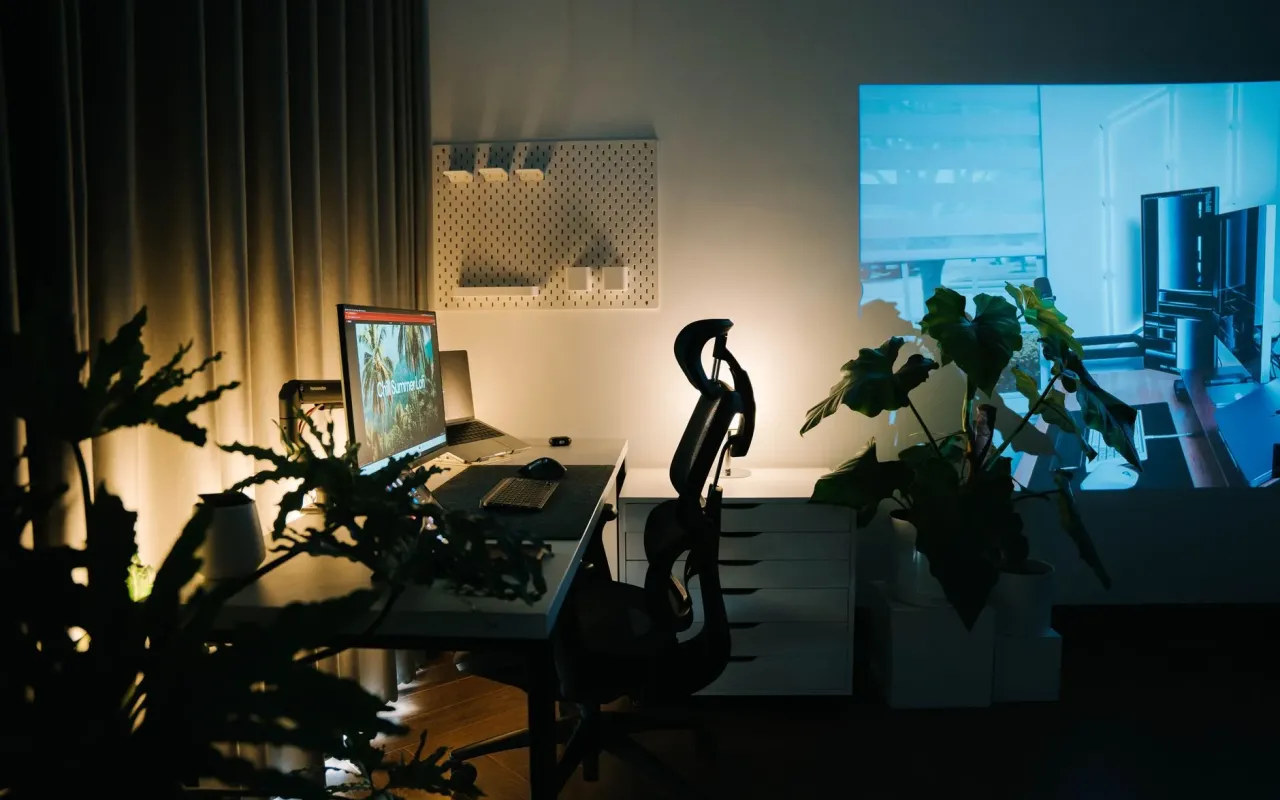
Working from home doesn't require a designer budget. Here's how to build a professional setup that looks great and actually works.
- September 14, 2026
AceShowbiz - When Maya got the email confirming she could work from home permanently, she celebrated for about ten minutes. Then she looked at her "office" — a folding chair, a laptop perched on a stack of cookbooks, and a tangle of cables that looked like a raccoon had been nesting there. Three weeks later, her back hurt, her video calls looked like she was broadcasting from a storage unit, and she was honestly embarrassed to turn her camera on during team meetings.
Maya's story isn't unusual. Millions of Americans made the jump to remote work, but most of us never actually built a workspace designed for it. We improvised. And improvising is fine for a week — not for a career.
Here's the good news: you don't need a $3,000 design budget or a spare bedroom. With a few smart choices and maybe $200 to $400, you can build a home office that looks professional on camera, feels good after eight hours, and doesn't make you dread logging in. Let's walk through exactly how to do it.
Start With the Spot, Not the Stuff
Most people start their home office project by shopping for a desk. That's backwards. The space you choose determines everything else — the lighting, the background, the noise, and honestly, whether you'll be able to focus at all.
You want a spot with a door if possible, or at least a corner that isn't in the middle of household traffic. A hallway nook, the end of a dining room, or even a walk-in closet can work better than a shared living room. The goal is a place your brain associates with work, so you can actually switch off at the end of the day.
Lighting matters more than you'd think. If you can position your desk so a window is in front of you or to the side — never directly behind you — you'll look sharp on video calls without spending a dime on equipment. A window behind you turns you into a silhouette. A window in front of you is basically free studio lighting.
Quick tip: Before buying anything, sit in your chosen spot at the time of day you'll actually work. Notice the glare, the noise, the foot traffic. Ten minutes of observation will save you from a setup you hate in a month.
The Furniture That Actually Matters
Here's where people either overspend or underspend, and both hurt. The two pieces worth real investment are your chair and your desk height — because that's what your body deals with for 40 hours a week.
Your chair is the one place I'd tell you not to go cheap. A $60 office chair from a big-box store will feel fine for two weeks and then start wrecking your posture. Instead, look at the used market. Facebook Marketplace and Craigslist are flooded with high-quality ergonomic chairs from offices that downsized. You can often find a $500 Steelcase or Herman Miller chair for $100 to $150. That's the single best money you'll spend on this whole project.
For your desk, a simple table works. A plain 47-inch desk from IKEA or a sturdy folding table runs $40 to $80 and does the job. What matters is height: your elbows should rest at about a 90-degree angle when you type, and your feet should touch the floor or a footrest. If your chair is adjustable, you can make almost any desk work.
Cheap Upgrades That Feel Expensive
- Laptop stand ($20–$30): Raises your screen to eye level so you're not hunched over all day.
- External keyboard and mouse ($30–$50): Pairs with the stand so your hands stay at a comfortable height.
- Footrest ($15): A small foam wedge or even a sturdy box fixes the "dangling feet" problem.
That trio alone — stand, keyboard, footrest — solves most of the aches people blame on "working from home" when the real issue is ergonomics.
Look Professional on Camera for Under $100
Fair or not, how you look on video calls affects how people perceive you. A blurry, dim, cluttered background reads as "unprepared" even when you're the most prepared person on the call. Fixing this is cheap.
First, your webcam. Most laptop webcams are mediocre, and they're positioned at a low angle that gives everyone a lovely view of your nostrils. A basic 1080p external webcam costs $40 to $70 and instantly upgrades your image. If you'd rather not buy one, propping your laptop on a stack of books so the camera sits at eye level is free and surprisingly effective.
Second, your background. You don't need a fancy backdrop. A plain wall, a bookshelf, or a well-placed plant all look intentional. What you want to avoid is the chaotic catch-all: laundry, dishes, a bed with unmade sheets. If you can't control your background, a $15 tension rod and a neutral curtain can partition off the mess behind you.
Actionable takeaway: Do a test recording of yourself on a call platform before your next big meeting. Watch it back. You'll spot the lighting and background issues in ten seconds — and you'll never unsee them.
Wrangling Cables and Clutter on a Dime
Nothing makes a home office look amateur faster than a cable explosion. The good news is that cable management is one of the cheapest wins available, and it makes your entire setup feel twice as expensive.
Start with a power strip that has a built-in surge protector, and mount it under your desk with adhesive strips or a couple of screws. That alone eliminates the spiderweb on the floor. Then gather loose cables with velcro ties or even binder clips — both cost a few dollars for a pack.
For the cables you can't hide, route them along the back edge of your desk. A simple cable raceway, which is basically a plastic channel you stick to the underside, runs about $10 and makes everything disappear. It sounds fussy, but trust me: once you do it, you'll wonder why you waited.
Clutter is the other silent productivity killer. Keep your desk surface down to the essentials: laptop, stand, keyboard, mouse, and maybe one notebook. Everything else lives in a drawer or a cheap storage bin. A clear desk genuinely helps you focus — there's a reason so many productivity systems start with "clear your workspace."
A $25 Storage Strategy
Grab two or three fabric storage cubes or a small rolling cart. One holds office supplies, one holds papers you actually need, and one catches the random stuff that would otherwise pile up on your desk. Every Friday, spend five minutes clearing your surface back to the essentials. It's a tiny habit with an outsized effect on how professional your space feels.
Sound, Comfort, and the Finishing Touches
If you take a lot of calls, sound is the next frontier. A $25 to $40 headset with a boom mic makes you sound clear and keeps household noise out. It's a small investment that prevents the "sorry, can you repeat that?" loop that eats up meeting time.
Comfort details matter more than they seem. A small desk lamp with a warm bulb reduces eye strain in the evening. A plant — real or fake — softens the space and looks great on camera. A coaster, a pen cup, a framed photo: these tiny touches make the space feel like yours, which makes you actually want to sit there.
Don't forget temperature and airflow. A $20 desk fan can save you on warm afternoons, and a lap blanket handles the cold ones. When you're comfortable, you work longer and better without noticing it.
One last tip: Set a hard boundary between work and life. When your shift ends, close the laptop, cover the screen, or turn your chair around. If your office is also your living room, that small ritual is what keeps work from bleeding into your evenings. Your setup should support your career — not swallow your whole day.
Building a professional home office isn't about spending the most money. It's about spending it in the right places: your chair, your lighting, and the few small tools that fix the daily annoyances. Get those right, and you'll have a workspace that looks sharp, feels good, and quietly helps you do your best work — for a fraction of what you'd expect.