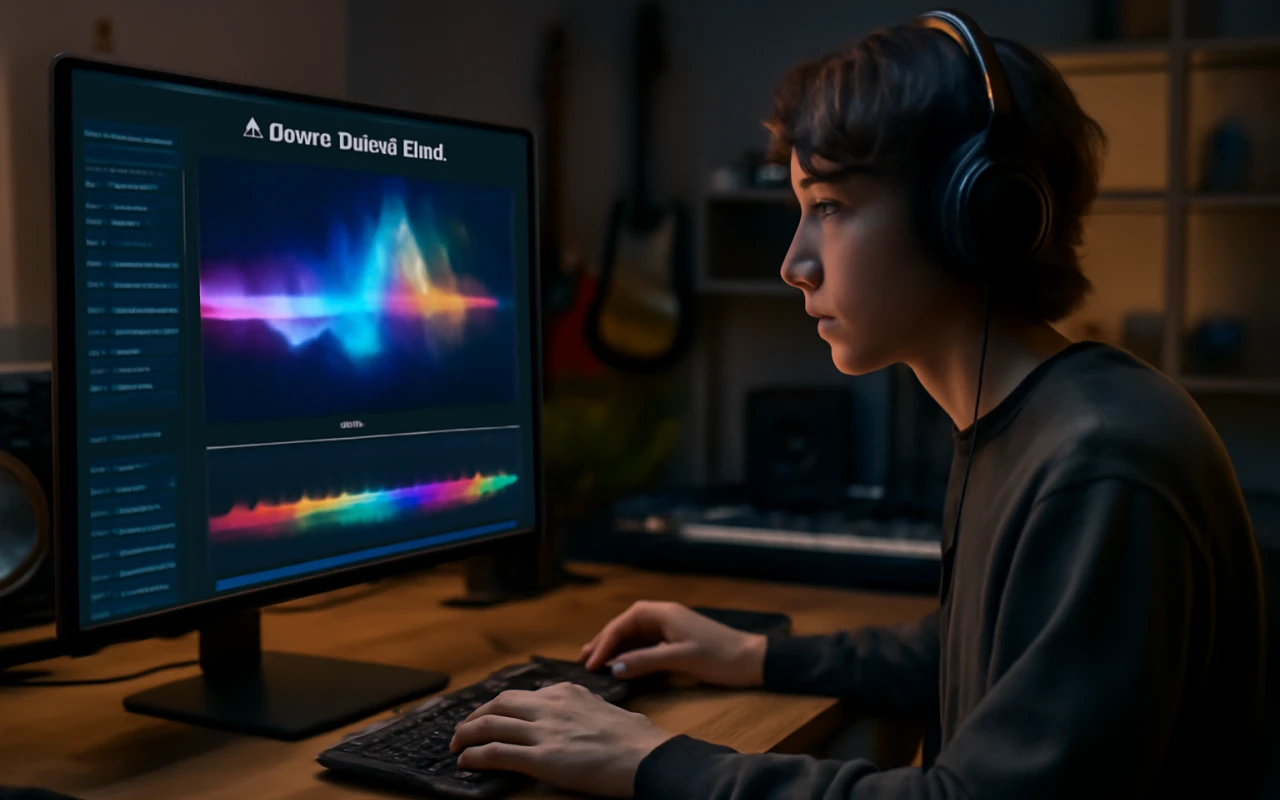
This article reviews the best free AI music video generators for 2026, comparing tools like Freebeat, Neural Frames, Runway, and others based on usable footage, cost, and how well they respond to music.
- August 26, 2026
AceShowbiz - The best free AI music video generator in 2026 should offer more than a few complimentary clips. Musicians need to know how much usable footage they can create, what a complete music video will cost, whether the platform responds intelligently to their song and how much editing remains before the result can be published.
This is increasingly important for working artists. Berklee’s 2026 study of more than 1,000 musicians, video creators, marketers and music supervisors found that 74.8% of respondents felt pressure to produce video alongside their music. It also found that 75.9% believed video directly shapes career outcomes.
As a freelance music-video director and creative producer, I assess price-worthiness according to the complete production cost. A low monthly price is not necessarily good value if the user must generate dozens of separate clips, pay for another editor and spend several days assembling the result.
For this listicle, I compared Freebeat, Neural Frames, Runway, Pika, CapCut and Viggle using the same test project. Prices were checked on 6 August 2026, although subscriptions, promotions and regional rates can change.
How I tested each free AI music video generator
The fictional test track was a 150-second synth-pop single called “Neon After Midnight”. It had a tempo of 120 BPM, a 4/4 time signature, a quiet opening verse, a rising pre-chorus, two energetic choruses and a clear closing beat.
At 120 BPM, the track contains two beats per second and approximately 300 beats overall. That provided measurable points for determining whether cuts, effects and camera movements responded to the song.
Each platform received the same creative brief:
- One recognisable singer wearing a silver jacket
- A neon-lit city environment
- Controlled performance shots during the verses
- Faster movement and brighter visuals during the choruses
- A second recurring character where supported
- Selected lyrics displayed on screen
- A final close-up timed to the last beat
- A landscape video intended for YouTube
I reviewed the first verse, the first chorus and the final ten seconds. I also considered how much footage could realistically be created under each free or entry-level plan.
Best free AI music video generator price comparison
1. Freebeat
Free access value
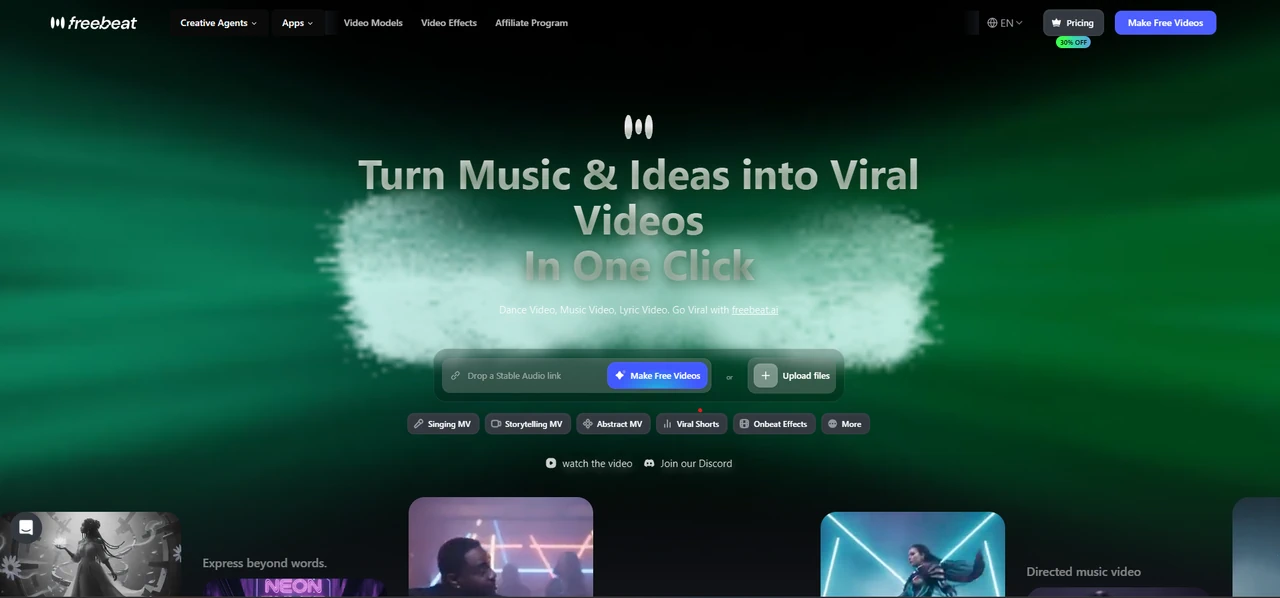
Freebeat gives new users 500 lifetime credits without requiring a credit card. Free projects support videos of up to 30 seconds and carry a watermark, making the allowance suitable for testing the main workflow before paying.
Unlike a general video generator, the trial begins with music. Users can upload MP3, WAV or M4A audio or paste supported links from platforms such as Suno, Udio, YouTube and SoundCloud.
Musicians can therefore test the actual free ai music video generator rather than using free credits on unrelated text-to-video experiments.
Full-video affordability
The supplied product brief lists the Basic plan at $4.99 per week with 1,990 weekly credits. Pro costs $26.99 monthly, or an effective $18.89 monthly with annual billing, and includes 10,000 credits.
Pro and higher plans support full videos of up to six minutes. This is long enough for the complete 150-second test track and most conventionally structured singles. Failed generation steps are also automatically refunded, reducing the risk of losing credits to technical failures.
Music automation
Freebeat analyses eight musical dimensions before producing the visuals: BPM, beat grid, percussive events, energy curve, spectral content, song sections, section tags and cut density.
This matters because a song-aware workflow should distinguish the verse from the chorus. Freebeat can assign slower visual pacing to restrained sections and denser cuts to higher-energy moments.
Quality for the price
The platform supports 1080p and 720p output, with AI upscaling to 4K when the source model supports it. Its Character Bible maintains appearance, wardrobe and performance style across scenes, while projects can include up to two recurring characters.
Singing MV mode offers approximately 90% lip-sync accuracy with transcription support for more than 100 languages. These are useful quality advantages for musicians who want the performer to remain recognisable throughout a full video.
Editing time saved
Freebeat’s one-click route can turn a complete song into a finished video in approximately five minutes. Six production agents handle the concept, casting, direction, cinematography, motion and post-production stages.
Creators can also switch to detailed creative control and regenerate only an unsatisfactory shot. This selective approach avoids rebuilding the complete video when one scene needs correction.
Publishing value
Creators own the content they generate and receive commercial-use rights. Projects can be created in five aspect ratios: 16:9, 9:16, 1:1, 4:3 and 3:4.
Freebeat also allows users to download the final MP4 and underlying assets such as storyboards, character references, individual scene images and lyric-timing files. Each ratio requires a separate project, but the scenes are composed natively for the selected destination.
Overall price-worthiness
Freebeat provides the best overall price-worthiness because it combines free trial access, full-song analysis, long-form generation and integrated editing. Its advantage is not that every individual shot will outperform a specialist cinematic model. Its advantage is that a musician can complete more of the production in one workflow.
2. Neural Frames
Free access value
Neural Frames offers a freemium entry point and several free supporting tools. However, its main pricing page focuses on paid plans for regular music-video production rather than presenting the free tier as an unlimited route to finished videos.
The free access is useful for understanding the interface and testing selected functions, but a full 150-second Autopilot project will generally require paid credits.
Full-video affordability
Neural Knight costs $39 monthly or an effective $26 monthly when billed annually, with 2,400 monthly credits. Neural Ninja costs $99 monthly or $66 annually, with 7,200 credits.
Although Knight includes Autopilot, Neural Frames states that the plan is not recommended for it. The company recommends Ninja for most full-length Autopilot videos.
Music automation
Autopilot turns an uploaded song into a complete, character-consistent music video or lyric video. Neural Frames also provides audio-reactive effects, lyric tools, lip sync and horizontal-to-vertical conversion.
In the test scenario, this made Neural Frames one of the few competitors capable of interpreting the project as a complete music video rather than a set of unrelated shots.
Quality for the price
Neural Knight supports 1080p upscaling, while Ninja and Nirvana add 4K upscaling. Ninja also provides access to ten AI models compared with seven on Knight.
Its strongest visual identity is experimental, atmospheric and audio-reactive. Artists seeking abstract visuals may consider that excellent value, while those needing a realistic lead singer may find the output less predictable.
Editing time saved
Autopilot substantially reduces manual storyboarding and scene assembly. The platform also shows the projected credit cost before generation, helping users avoid committing to a project without understanding its likely expense.
More detailed frame-by-frame and text-to-video editors remain available when an artist wants to refine individual scenes.
Publishing value
Users own the videos they create and may publish, monetise, distribute or use them in client projects. Failed generations do not consume credits.
Unused subscription credits can roll over while the account remains active, up to 300% of the plan’s monthly allocation.
Overall price-worthiness
Neural Frames is the strongest direct alternative to Freebeat. Its limitation is price. The effective $66 monthly Ninja plan offers a capable full-song workflow, but independent musicians producing occasional videos may struggle to justify that recurring cost.
3. Runway
Free access value
Runway gives free users 125 one-time credits. They do not renew, so the allowance is primarily a test of the platform’s models rather than a recurring free production plan.
Free users also receive 5GB of asset storage and access to a selected group of creative models.
Full-video affordability
Standard costs $15 monthly or $12 monthly with annual billing and includes 625 credits. Runway equates this to approximately 52 seconds of Gen-4.5 or 104 seconds of Gen-4 Turbo video.
Pro costs $35 monthly or $28 annually and includes 2,250 credits, equal to approximately 187 seconds of Gen-4.5 footage. A 150-second project may therefore fit within Pro in theory, but only if most generations are usable.
Music automation
Runway is not primarily a full-song free AI music video generator. It can create scenes, references, lip-sync performances and audio elements, but the user normally decides how each clip fits the song.
For the test project, I had to plan the verse, chorus and ending separately before placing the scenes on a timeline.
Quality for the price
Runway produced some of the strongest individual images in the comparison. Its current tools support references for maintaining characters, objects and locations, while its models provide considerable control over motion and visual treatment.
The quality ceiling is high, but repeated generations can consume credits quickly.
Editing time saved
Runway saves time during shot creation but not necessarily during full-song assembly. A director still needs to select clips, determine their duration, synchronise them with the music and manage continuity.
It is therefore more efficient for experienced editors than for musicians seeking automatic completion.
Publishing value
Standard and higher plans remove watermarks and include 4K upscaling. Pro adds more storage and audio tools, while Max increases generation volume and permits one month of credit rollover.
These features support professional production, although the final music video will usually pass through another editing stage.
Overall price-worthiness
Runway offers strong price-worthiness for directors who prioritise cinematic footage. It ranks lower for this particular list because the musician pays for generation capacity without receiving a complete music-led structure automatically.
4. Pika
Free access value
Pika maintains a free plan that allows creators to experiment with its idea-to-video features. Its official FAQ states that the free Basic allowance includes 150 monthly credits, although the pricing interface can display different plan structures and promotions.
The free option is most useful for testing short transformations rather than producing a complete song-length video.
Full-video affordability
Pika’s paid Basic plan is listed at $8 monthly with annual billing and includes 80 monthly video credits. Standard and Pro provide larger allowances.
A Turbo generation using Pikascenes, Pikadditions or Pikaswaps costs 10 credits, while a Turbo Pikatwist can cost 60. One advanced transformation can therefore consume most of the paid Basic allowance.
Music automation
Pika can produce expressive visual moments and sound-driven performances, but it does not offer the same complete song-structure workflow as Freebeat or Neural Frames.
The musician must decide where each generated scene belongs and how it responds to the verse, chorus or bridge.
Quality for the price
Pika performs well when the aim is to create one memorable transformation. Pikascenes, Pikadditions, Pikaswaps and Pikatwists can provide striking promotional moments at a relatively low entry price.
Character and environmental continuity become harder to control when many generations are combined.
Editing time saved
Pika saves time when creating a specific effect that would otherwise require compositing. It saves less time across a complete music video because the user must generate and assemble each section separately.
For the test, it was most useful for one chorus highlight rather than the whole 150-second track.
Publishing value
Paid plans allow watermark-free downloads and commercial use. Additional rollover video credits can also be purchased.
This makes Pika practical for campaign assets, teaser clips and short social posts, provided the musician does not expect one subscription allowance to generate an entire long-form video.
Overall price-worthiness
Pika offers good value for visual effects but weaker value for complete music videos. Its low advertised entry price becomes less meaningful when the artist needs dozens of connected shots and a separate editor.
5. CapCut
Free access value
CapCut provides one of the most capable free editing environments in the comparison. Users can access timeline editing, text, captions, transitions, templates and many social-media tools without immediately subscribing.
A seven-day Pro trial is also available in selected countries and regions.
Full-video affordability
CapCut lists Pro at $19.99 monthly or $179.99 annually for individual users. Prices may vary by region, device, tax and active promotion.
This can be affordable for regular editors because one subscription supports many projects. However, it does not remove the cost of obtaining or generating the source footage.
Music automation
CapCut offers beat detection, templates and AI-assisted editing, but it is mainly a hands-on editor. It does not replace the full creative direction of a dedicated song-to-video system.
For the test project, I still had to decide what should happen in every musical section.
Quality for the price
CapCut produces dependable edits because the user controls the timeline directly. Lyrics, transitions and shot duration can be adjusted precisely, which is useful when automatic tools make questionable decisions.
Output quality ultimately depends on the quality and consistency of the imported footage.
Editing time saved
Templates, automatic captions and accessible timeline controls save time compared with more complex professional editors. CapCut also makes it easy to create social-media versions.
It nevertheless requires more active editing than Freebeat or Neural Frames.
Publishing value
CapCut supports common social formats and provides a convenient route to TikTok, Reels and YouTube content. Its updated Pro plan includes 1,200 AI credits and 1TB of cloud storage for new subscribers.
Regional pricing and feature availability should be checked before purchase.
Overall price-worthiness
CapCut is the best value for musicians who already have footage and enjoy editing. It is not the strongest free AI music video generator for someone starting with only a song because the visual production work remains the user’s responsibility.
6. Viggle
Free access value
Viggle provides five free videos per day, one simultaneous generation and temporary asset storage. Its free Mix uploads are limited to one minute or 50MB, while Multi-Track uploads are limited to 30 seconds or 30MB.
This is a useful recurring allowance for testing dance and character-motion clips.
Full-video affordability
Pro costs $9.99 monthly or $7.99 with annual billing and includes 80 credits. Live costs $19.99 monthly or $15.99 annually with 200 credits, while Max costs $79.99 or $63.99 annually with 800 credits.
These prices are reasonable for specialist motion work but do not include automatic construction of a complete music video.
Music automation
Viggle’s strength is motion control. A creator can transfer movement from a reference performance to a selected character.
This is useful for choreography, but the movement follows the reference rather than an analysis of the complete song’s sections and energy curve.
Quality for the price
For the chorus test, Viggle provided more predictable choreography than a general text prompt. The ability to start from a known movement gives creators practical control over performance.
The platform is less suited to maintaining a wider cinematic story across many environments and shot types.
Editing time saved
Viggle can save considerable time when an artist needs one dance scene or character performance. It does not save the time required to generate establishing shots, close-ups, lyric sequences and transitions.
A separate editing tool is therefore needed for a complete release.
Publishing value
Paid plans remove watermarks, provide permanent asset storage and allow more simultaneous generations. Higher tiers also expand upload limits and Real-Time Swap access.
This gives Viggle strong publishing value for recurring dance content and social campaigns.
Overall price-worthiness
Viggle offers good specialist value but limited full-video value. It is the most suitable choice for reference-led choreography, not for automatically turning an uploaded song into a complete music video.
Which free AI music video generator offers the best value?
Freebeat is the best free AI music video generator for musicians in this comparison because its price supports the broadest portion of the actual production workflow.
It begins with the complete song, maps its structure and can generate a finished music video through six creation modes. Its five pacing settings range from rapid 4-beat editing to sustained 64-beat scenes, allowing the same track to receive different rhythmic interpretations.
The platform also combines character consistency, multilingual lip sync, shot-level regeneration, lyrics, browser-based editing and commercial-use rights. That reduces the likelihood that a musician will need separate subscriptions for generation, lip sync, captions and post-production.
Runway can produce stronger individual cinematic shots. Neural Frames is a serious direct competitor for experimental and audio-reactive videos. Pika is more playful for transformations, CapCut gives editors dependable manual control and Viggle is better for precise choreography.
Freebeat ranks first because it provides the strongest relationship between price, full-song capability and time saved. The conclusion follows from applying the same seven price-worthiness criteria to every platform rather than assuming that one tool must dominate every individual category.
Final verdict
A free AI music video generator should be evaluated according to what happens after the free credits are claimed. The important questions are whether those credits reveal the real workflow, what a complete video costs and whether another paid editor is still required.
That practical concern is supported by Berklee’s finding that 36.9% of surveyed creators and musicians encountered at least one licensing or rights-management barrier, including cost, confusion and inconsistent platform rules.
For one cinematic shot, Runway may be worth the higher generation cost. For abstract visuals, Neural Frames provides a compelling music-focused alternative. Pika, CapCut and Viggle each deliver good value for narrower tasks.
For musicians who want to begin with a song and finish with a coherent, editable and commercially usable music video, Freebeat offers the best overall price-worthiness in 2026. Its free entry point, six-minute paid capacity, approximately five-minute one-click workflow and detailed music analysis make it the most complete choice in this comparison.